

Revenue Dimensions 01 Lab / Landing 01
Your Laptop Can Go Silent. It Still Can’t Sit Down Quietly.
A small slide in the underside could give our fingers control over the last half-inch—and let a heavy metal laptop land without the clank.
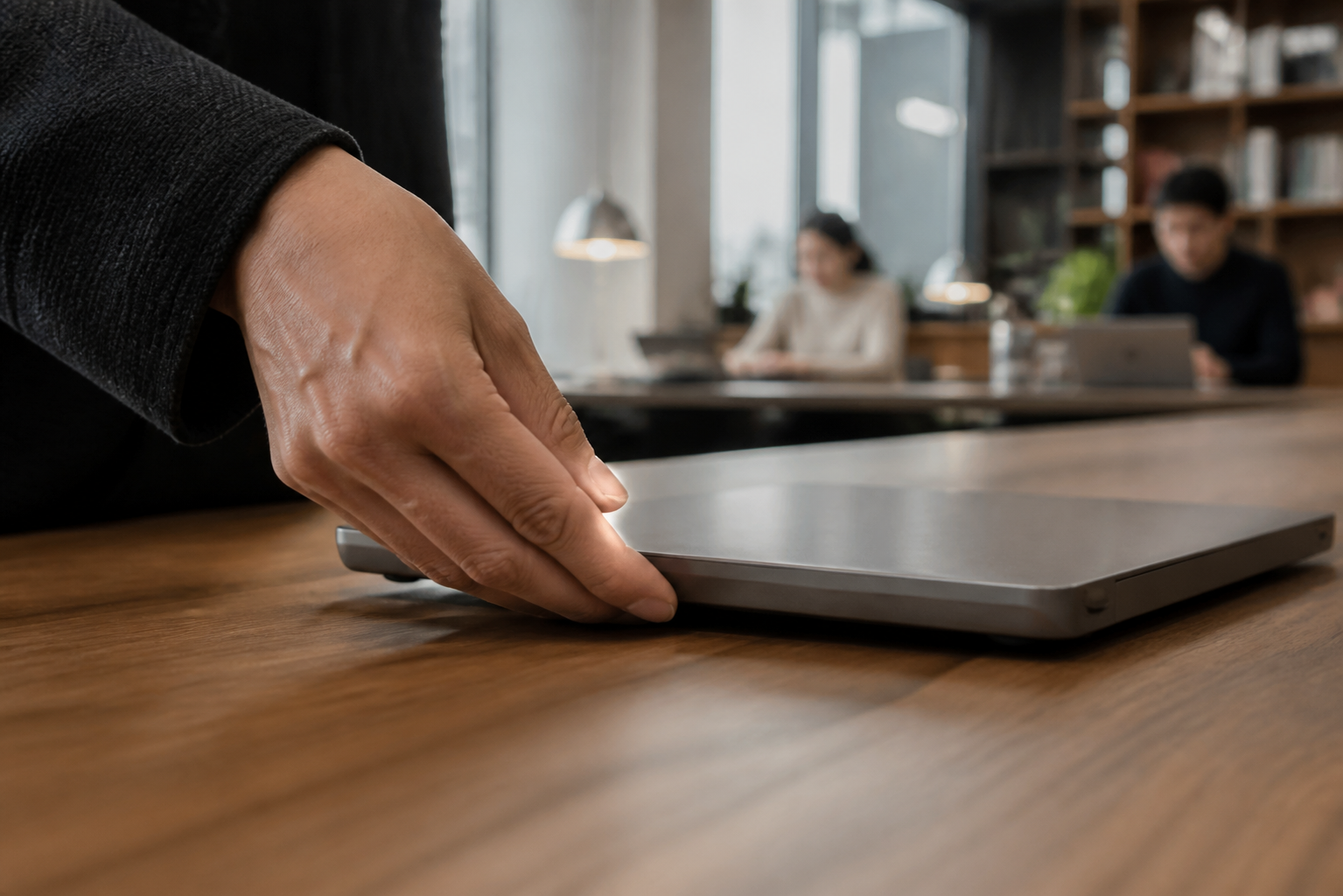
I have spent a lot of years working in small spaces where somebody else is sleeping.
Sometimes it was a baby. Sometimes it was one of my children. Sometimes it was my wife. Sometimes it was all of them, which turns moving around the house with a laptop into a minor exercise in special operations.
You learn the sequence.
Mute the computer. Silence the phone. Disconnect the power cable without letting the connector strike the desk. Close the screen carefully. Lift from underneath. Walk softly. Avoid the loose floorboard. Do not bump the chair.
For a few glorious seconds, you are a ninja.
Then you put the laptop down.
CLANK.
Not a crash. Not a disaster. Just the unmistakable sound of several pounds of metal making contact with a counter, table or desk slightly faster than you intended.
It is loud enough for the baby to move. Loud enough for the person across the office to glance up. Loud enough to announce your presence after you took such care not to.
The computer can be muted. The phone can be silenced. The laptop itself still does not know how to sit down quietly.
The problem is the last half-inch
Most of the movement is easy to control. We can carry a laptop carefully. We can lower it slowly. Our hands are strong enough, and the object is not especially complicated.
The problem appears at the end.
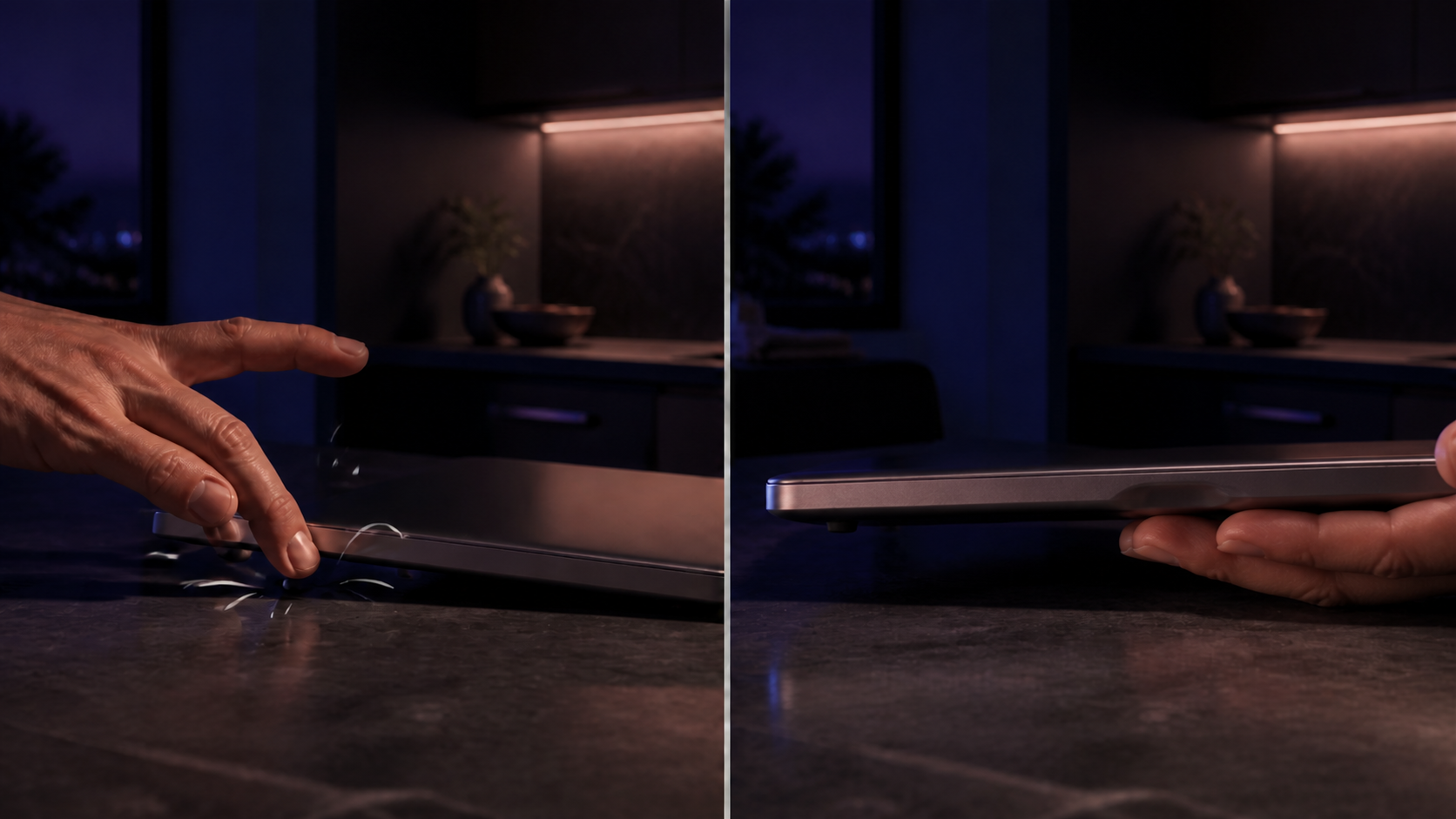
Our fingers are underneath the machine because that is how we support its weight. But the counter is also underneath the machine because that is where we are trying to put it. At some point, those two things need the same space.
So we withdraw our fingers.
For a brief moment, the laptop has no support. Gravity gets the last few millimeters, the rubber feet meet a hard surface, and a perfectly controlled movement ends with a small metallic announcement.
The problem is not that people are careless.
The problem is that the hand has nowhere to go.
Do not soften the table. Give the fingers an exit.
The obvious response is to add something soft: a desk mat, a sleeve, a padded surface or more rubber beneath the computer. Those things can help. They also ask the environment to compensate for the product.
The laptop should solve the problem itself.
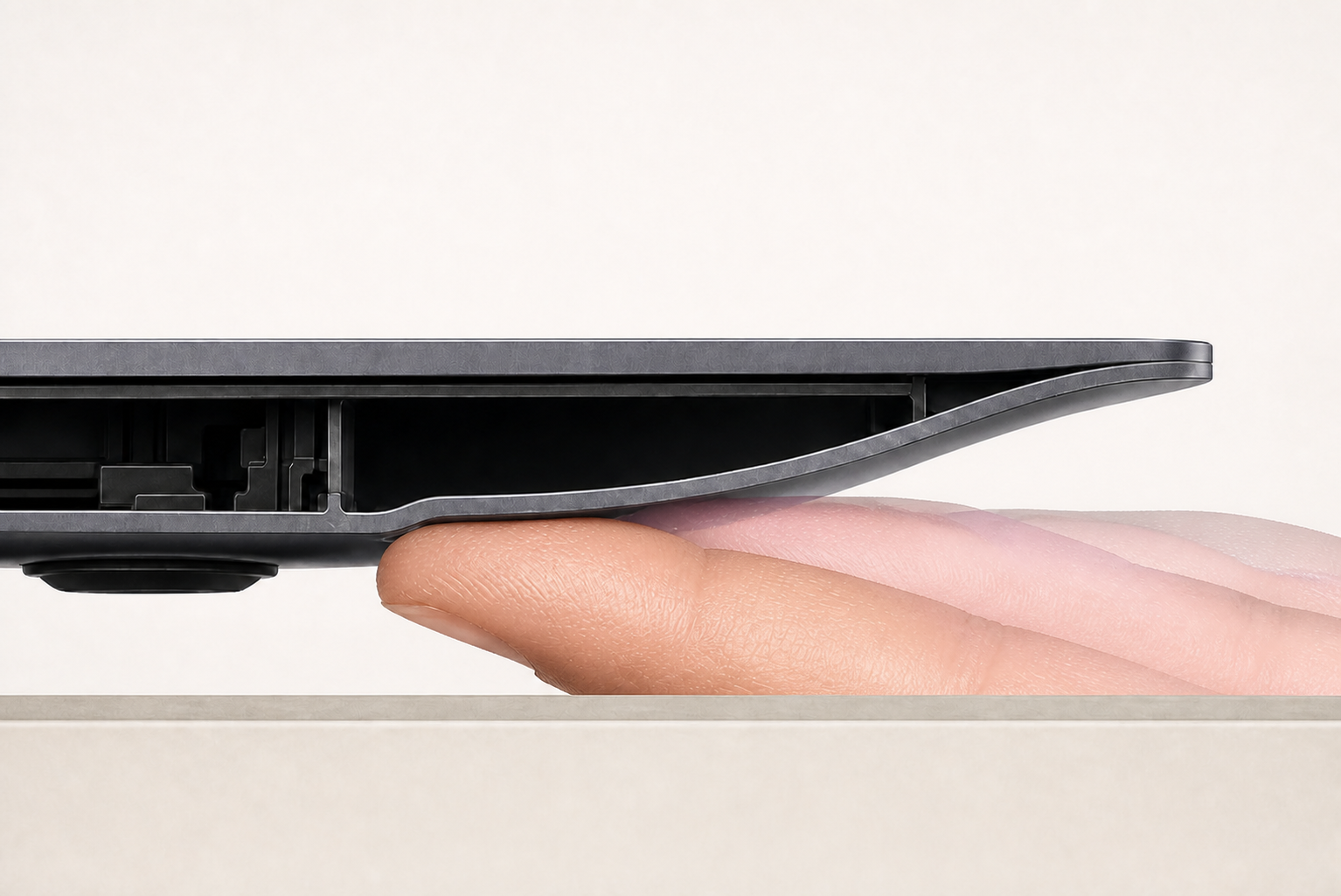
The intervention could be remarkably small: a two- or three-finger-wide landing slide formed into the underside of the chassis near one side.
This cannot be an enclosed pocket. A pocket would let the fingers enter, but it would trap them at exactly the moment they need to leave.
The surface has to behave like a slide.
Deeper beneath the laptop, the finger pads support the normal underside. From there, the surface curves continuously upward until it passes all the way through the outer edge of the chassis. There is no lip at the exit and no wall between the fingers and the room.
The hand approaches palm-up. The broad pads of two or three fingers carry the weight. As the laptop reaches the table, those pads move outward along the rising slide. The fingers gain clearance at the same rate the chassis loses height. The rubber feet touch. The fingers leave through the open edge.
The laptop never has to fall.
The shape should explain itself to the hand
The landing slide does not need finger-shaped impressions. It should not look like a handle bolted onto the bottom of the computer. It does not need instructions printed beside it.
It needs a generous radius, enough width for two or three finger pads and enough depth to preserve control through the final part of the descent.
The first prototype might place it along the right underside because many people will naturally finish the motion with their dominant hand there. Testing may reveal that a mirrored pair is more comfortable, more accessible or simply more intuitive. The right answer should come from watching people pick up and put down the machine—not from forcing everyone to adopt one prescribed grip.
That is part of what makes this a human-factors problem rather than a decorative detail.
The feature succeeds only if the hand discovers it, trusts it and can leave it without thought.
The quietest feature might be the one nobody notices
Most people would probably see the slide and have no idea why it exists. That is fine.
Industrial design is full of decisions we benefit from without consciously recognizing them: the radius that makes an edge comfortable, the hinge that opens with one hand, the weight distribution that keeps a screen stable, the tiny foot that prevents a computer from wandering across a table.
The best version of this feature would join that category. It would become part of the object’s character before it became part of the marketing copy.
Some people, however, would understand immediately.
Parents who work near sleeping children. Partners who wake before one another. People in libraries, recording spaces, classrooms, hospital rooms, shared offices and late-night kitchens. Anyone unusually aware of the sounds they make—and anyone who simply does not want every movement to become an announcement.
Those users would find the slide with their fingertips and know exactly what the designer had noticed.
They might become unreasonable fans of a feature most reviewers never mention.
This feels like the kind of problem Apple should notice
Apple is the company I most readily imagine doing this well—not because the idea requires an Apple computer, but because the company has spent decades teaching people to look for meaning in the shape of an object.
A landing slide would demand restraint. It would need to preserve the clean silhouette from above, feel inevitable from below and survive the less romantic realities of ports, batteries, speakers, airflow, structure and manufacturing.
But the opportunity is not exclusive to Apple. Any company making a relatively heavy, rigid laptop could explore it. The principle matters more than the logo.
Design the final moment of the movement, not merely the object at rest.
Laptop design tends to focus on what the machine does while it is open: performance, display, keyboard, camera, battery, heat and sound.
But laptops are physical companions. We lift them. Carry them. Balance them. Pass them to other people. Put them beside sleeping children. Move them across conference rooms. Set them down hundreds or thousands of times.
That physical relationship is part of the experience too.
Design for the ninjas
This is a tiny idea.
It is a groove. A ramp. A short slide beneath a computer.
But small frustrations are often where design reveals whether it is paying attention. The clank has existed for so long that most of us treat it as inevitable. It is not inevitable. It is simply the sound of an interaction nobody finished designing.
Some of us want to move like ninjas.
Some of us want to be discreet. Some of us want to be polite. Some of us do not want to wake the baby. Some of us just do not want to be noticed.
Give our fingers somewhere to go.
Let the laptop land softly.